How to Use Claude AI: A Web Developer’s Practical Guide
A client asked me last month what I use Claude for. I started answering and realised, about ninety seconds in, that I’d used the word “Claude” to mean four completely different things.
That’s the problem. Claude used to be a chatbot.
You typed, it answered, everyone understood the arrangement. It isn’t that any more. There’s now a chat interface, a thing called Projects, something called Cowork, a Design canvas, a Claude Code tool, and a whole category of “agentic” behaviour that people talk about confidently without ever quite defining.
Aside : How clients now approach me after speaking with an AI
I’ve recently returned back to full time website design (and development). I thought that, after teaching web and game development at Uni (for 3 years), clients wouldn’t want to talk to me. I was wrong. In fact, the first client I emailed, emailed me back with a design for a new website. “Can you do this?” When a client sends me a design comp, I usually go for a face palm, but in this case, I only got halfway through. The client’s thumbnail sketch looked fantastic. It explained his business smuch better than his old site. Nicer layout. Call-to-actions. Looked great. It even incorporated a new logo. “Wow, this looks great,” I said, bailing on the face palm, “How did you do it?” ChatGPT.
These things are smart. Not only do they design smart, but they business smart, too. Everyone is using them. An Uber driver told me that ChatGPT was the best friend he ever had.
It was such a polished, near-finished web design. I was wondering how I could redo it in HTML and CSS. So I handed that onerous job over to . . . Claude.
I was able to show the client a fully coded-up version fo his home page within just a few days. Normally that would take a week or more. The design wasn’t perfect, but the fake AI images were sharp and showed his team at work, each with fully badged polo shirt. It wasn’t too far away from a working website.
The new world showed me a new way. Clients are able to send me really good ideas – filtered through the AIs. It makes my whole process easier. I want clients to do this because it saves me so much time and they get a real sense of ownership of their website. All I have to do is meake a great design even better! And bring in leads.
So here’s the plain-English version, from someone who uses it daily to run a small web business. No hype, and I’ll tell you where it doesn’t work.
First, the map
Six things share the Claude name. Here’s what each is actually for:
- Claude (chat)
The conversation. Ask, discuss, draft, analyse. No access to your files. - Projects
a saved workspace with its own instructions and reference documents. - Cowork
Claude working directly on real files on your machine, doing multi-step jobs. - Claude Design
a canvas for visual work: slides, mockups, prototypes, one-pagers. - Claude Code
the same idea, aimed at software development. - Agents
The umbrella term for Claude doing multi-step work with tools, rather than just replying.
Most people only ever use the first one. That’s a bit like owning a fully kitted out workshop and only using the bench.
Projects: stop re-explaining yourself
This is the single highest-value feature for a small business, and it’s the one people ignore.
A Project is a workspace with two things attached: custom instructions (how you want Claude to behave) and a knowledge base (documents it can always refer to). Every chat you start inside that Project inherits both.
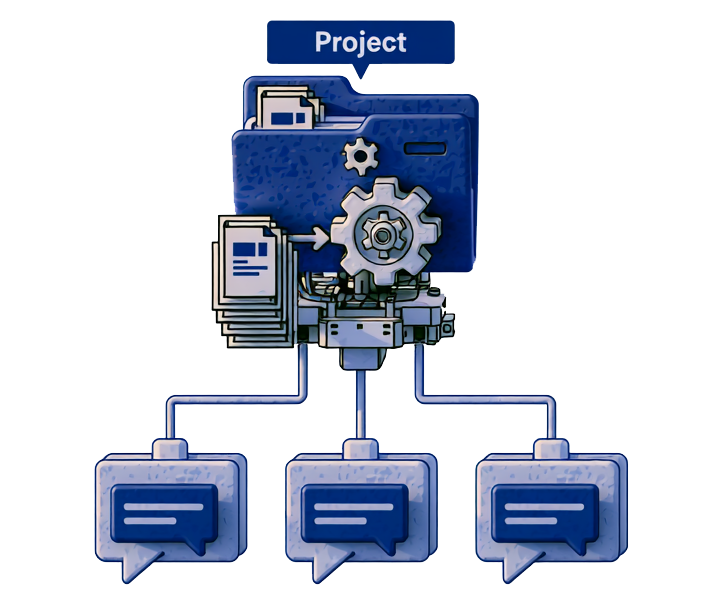
Mini tutorial: set one up in five minutes
- 1. Go to Projects in Claude.ai sidebar and create a new one. Call it something specific:
Geoffrey Digital — Client Work, notWork. - 2. Set the project instructions. Be blunt about tone and standards. Mine says things like: write in Australian English, no marketing fluff, tell me when I’m wrong.
- 3. Upload your reference material to the knowledge base …your service list, your terms, your pricing structure, your brand voice notes.
- 4. Start chatting inside the Project.
The point is that you stop re-explaining your business at the top of every conversation.
One quirk worth knowing: chats inside a Project don’t share context with each other. Only the instructions and the knowledge base are shared. So you can run a pricing draft and a client email in parallel without them bleeding together.
Important: Claude won’t remember what you said in yesterday’s separate chat unless it’s in the knowledge base.
Scenario. I keep a Project per ongoing client. In it: their brand notes, their site structure, past correspondence about what they want. When they email asking for a copy change, I don’t spend ten minutes providing background. It’s already there. The reply takes two minutes instead of fifteen.
Cowork: Claude with its sleeves rolled up
This is the one your friend is using, and it’s the biggest conceptual jump.
In ordinary chat, Claude can talk about your files but can’t touch them. In Cowork, Claude has permission to read, edit and create files in folders you nominate so it can actually finish a task rather than describe how to do one. It runs on desktop, with web and mobile in beta, and it’s built for non-coding knowledge work: research, analysis, document creation and other multi-step jobs.
Anthropic’s own shorthand for it was “Claude Code for the rest of your work” — the same underlying machinery that developers had been using, pointed at ordinary office tasks instead. The examples they showed at launch were mundane in the best way:
- > tidying a downloads folder
- > turning a pile of receipt screenshots into an expense spreadsheet
- > producing a first draft from scattered notes.
You can also connect your own data, schedule a task to run daily, weekly or monthly, and ask for the output in a specific format. It shows its working as it goes — which files it opened, which tools it used — so you can redirect it mid-job.
Scenario: the monthly reporting job I used to hate
Every month I’d open analytics, pull numbers for several clients, paste them into a document, write a paragraph of interpretation for each, and send them out. Two hours of clicking, none of it thinking.
That’s exactly the shape of task Cowork is built for: repetitive, multi-step, involves real files, requires judgement in only one small place. You describe the outcome you want, it does the assembly, you review and fix the interpretation.
The bit most articles skip
Cowork needs access to your files to work. That is precisely the risk. Anthropic themselves advise not giving it access to files containing sensitive information, restricting it to trusted websites when used with the Chrome extension, and watching for suspicious actions that might indicate prompt injection.
I’ve spent enough of my career cleaning up after compromised sites to take that seriously. Give it a working folder. Don’t give it your whole drive. Don’t point it at anything containing client credentials.
Read about my compromised server in this article about website maintenance.
Claude Design: useful, and not what you’ve been told
Let’s kill a myth first, because I’ve now heard it three times: Claude Design is not a Photoshop killer. It doesn’t edit photographs. It doesn’t retouch. It doesn’t generate images.
What it is, per Anthropic’s own launch announcement, is a product for creating polished visual work: designs, prototypes, slides, one-pagers and similar. You describe what you need, Claude builds a first version, and you refine it through conversation, inline comments, direct edits or adjustment controls. Anthropic frames it as a complement to Figma and Canva rather than a substitute. There’s even a Canva handoff built in.
The output is layout and interface work. You can export to PDF, PPTX or standalone HTML, send it to Canva, or package it as a handoff bundle for Claude Code to build. There’s also a web capture tool for grabbing elements from an existing site so prototypes resemble the real product.
It launched in April 2026 as a research preview, included with Pro, Max, Team and Enterprise plans. “Research preview” is worth reading literally: it will change, and no doubt, it will occasionally disappoint.
Where it genuinely earns its place in my work
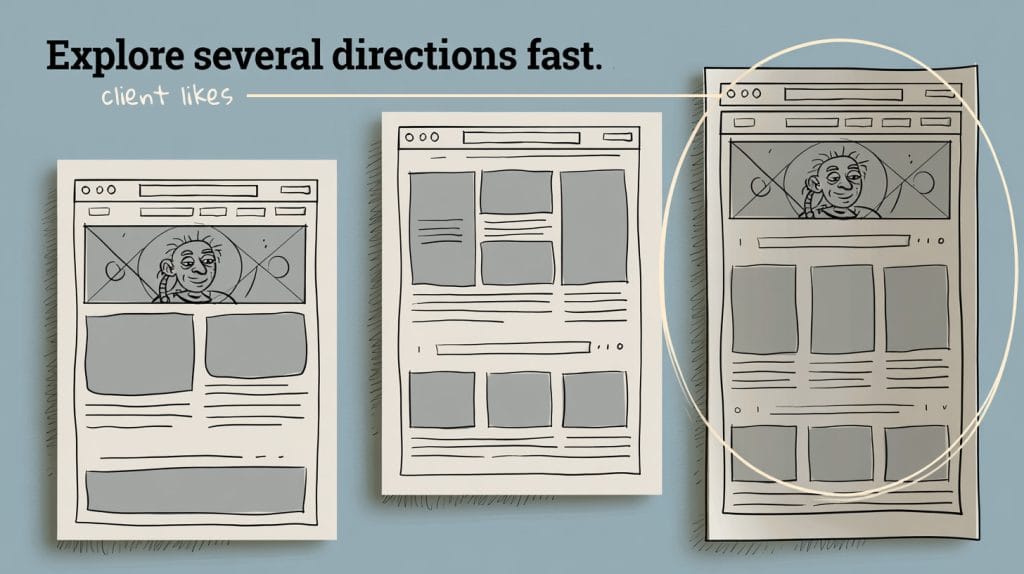
Client sign-off. The slowest part of any web project isn’t building – it’s the fortnight of back-and-forth before anyone agrees what we’re building. Being able to produce three visibly different homepage directions in an afternoon, share them as a link, and have a real conversation about a real thing rather than a description of a thing, compresses that fortnight into a meeting.
What I don’t do is ship its output as a finished site. It’s a thinking tool and a conversation tool. The production build is still a build.
Making them work together
Here’s a real sequence, and this is where it stops being a novelty:
- Project holds the client’s brand notes, tone and site structure.
- Chat inside that Project drafts the page copy, already in the right voice.
- Claude Design turns the approved copy into two layout directions to show the client.
- Cowork takes the sign-off and assembles the content files, image list and handover document.
- I build the thing, because that’s still my job.
Each step feeds the next, and none of them required me to re-explain the client’s business.
“Can I generate images with Claude?”
Short answer: no, not directly. Claude does not produce photographs or illustrations the way the dedicated image tools do. There’s no /imagine. This surprises people, and a fair few articles online blur it deliberately.
What it does instead is more useful than it sounds:
It writes excellent image prompts. This is the workflow I actually use, and it’s why every image suggestion in this article is written the way it is — subject, composition, lighting, style, and the reason the image exists. Hand a description like that to any image generator and you’ll get a dramatically better result than typing “web design office.” Claude is very good at turning a vague visual idea into a specific brief.
It builds vector graphics and diagrams directly. Charts, flow diagrams, simple illustrations, SVG. For a diagram like image suggestion 2 above, you don’t need an image generator at all — ask for SVG and you get something crisp, tiny, editable in a text editor, and perfectly sharp on every screen. For a website, that’s usually the better answer anyway.
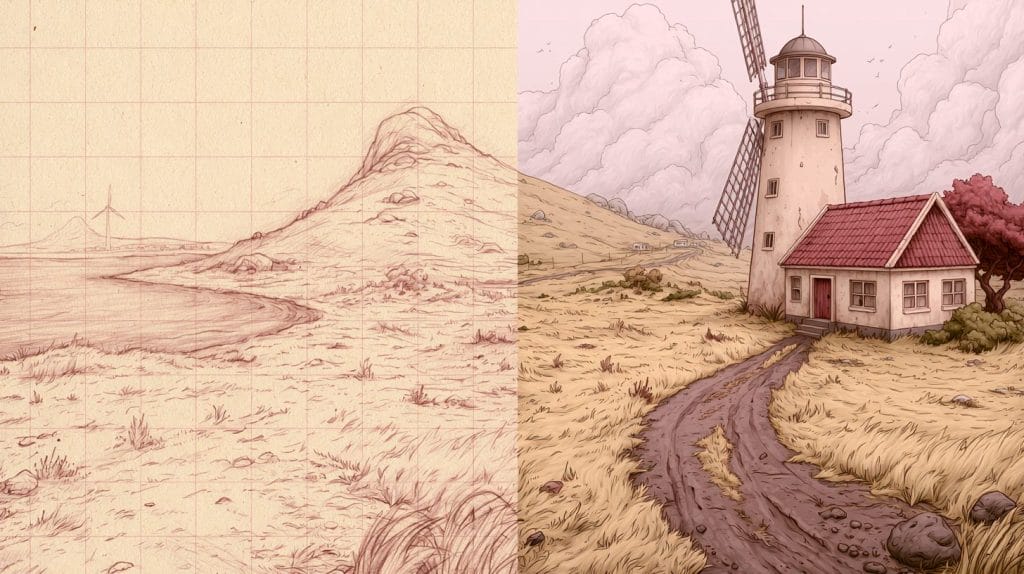
It can be connected to external image models through connectors, if you want generation inside the same conversation. That’s a setup job, not a checkbox.
So: use Claude to design the image, and an image tool to render it. That division of labour works well.
Agentic AI, without the buzzword fog
“Agentic” gets thrown around constantly. Here’s the honest definition: an agent is an AI that’s given a goal rather than a question, plus tools to pursue it, and then takes multiple steps on its own before coming back to you.
The difference is genuinely simple:
- Assistant: “How do I clean up these broken links?” → you get instructions.
- Agent: “Clean up these broken links.” → it reads the file, finds them, works through them, reports back.
Cowork is an agent. Claude Code is an agent. That scheduled monthly report is an agent doing a small, bounded job.
For a small business, the sweet spot is narrow and dull: tasks that are repetitive, well-defined, and where a mistake is visible and cheap to fix. Reformatting data. Assembling a first draft. Cross-checking a list. Auditing a site for broken links.
The bad fit is anything where a mistake is expensive and invisible. Anything involving money, credentials, sending things to clients, or making commitments on your behalf. Not because the technology is reckless, but because you are still accountable for the output, and reviewing a wrong answer is harder than writing a right one from scratch.
My rule: an agent can do the assembly. It doesn’t get to do the deciding, and it doesn’t get to press send.
Where I’d start
If you take one thing from this: set up a Project. Ten minutes, and it improves every conversation you have afterwards. Everything else is optional until you have a specific job that needs it.
Then, when a genuinely tedious multi-step task turns up — the kind you keep putting off — that’s your cue to try Cowork on it. Small folder. Nothing sensitive. See what happens.
The technology is moving fast enough that some of the specifics in this article will date. The principle won’t: these tools are very good at assembly and very poor at accountability. Keep the accountability.
Disclosure: I drafted this article with Claude’s help, which felt like the only honest way to write it. The opinions, the corrections and the mistakes are mine.
Further Reading: